How a release moves through WhatsNew
Create a changelog and write the update once. Then choose where customers read it: a WhatsNew page, your own site through the JSON API, or both.
The flow, three steps
Step 1
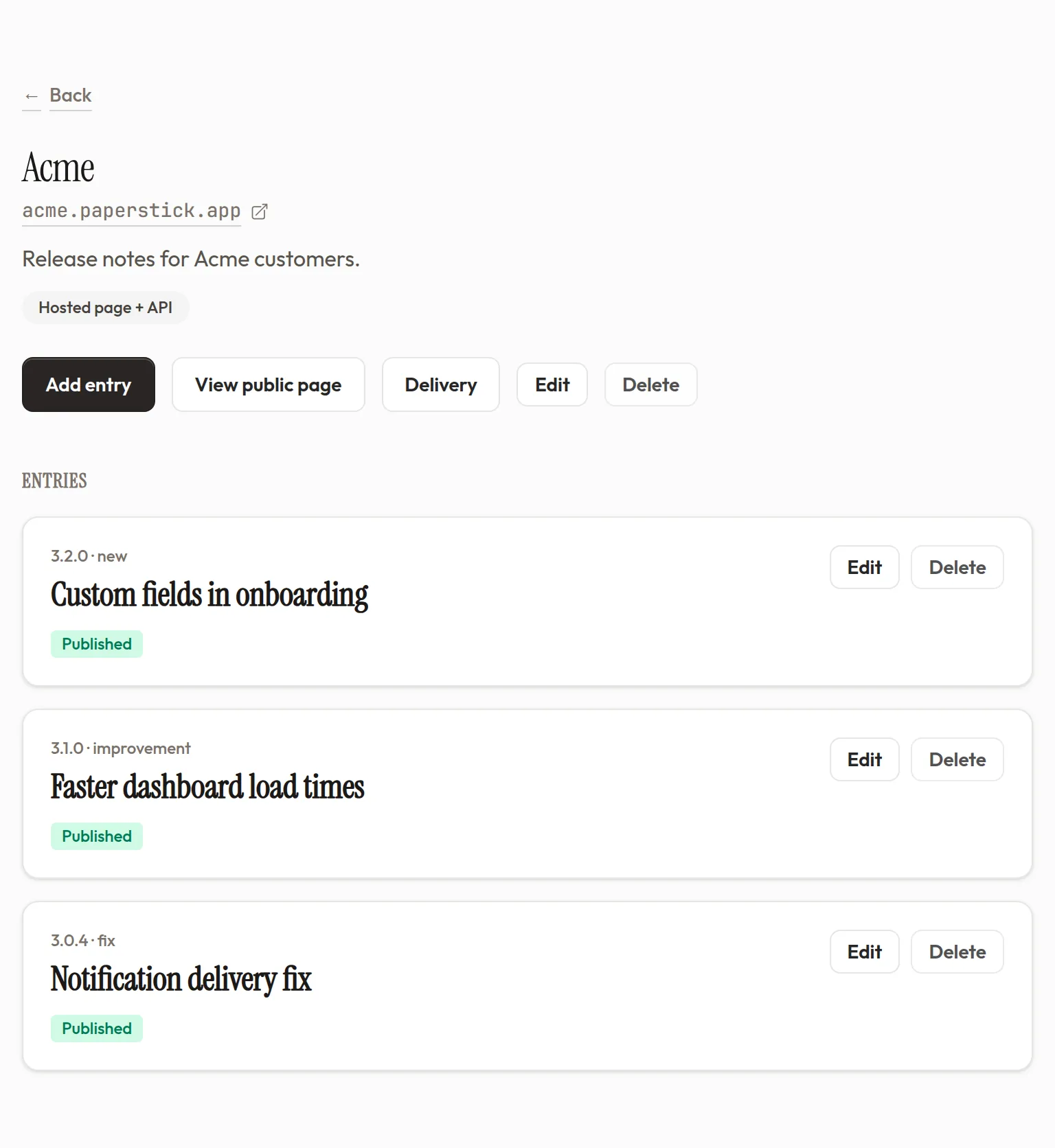
Create a changelog
Name it and choose how to publish. Use a hosted page plus API, or use the JSON API, Markdown, and RSS without a WhatsNew page. Run one changelog per product or audience.
- Your dashboard shows whether each changelog is hosted plus API, or API only.
- We do not charge per changelog. If you turn hosting off and back on, the same WhatsNew URL returns.
Step 2
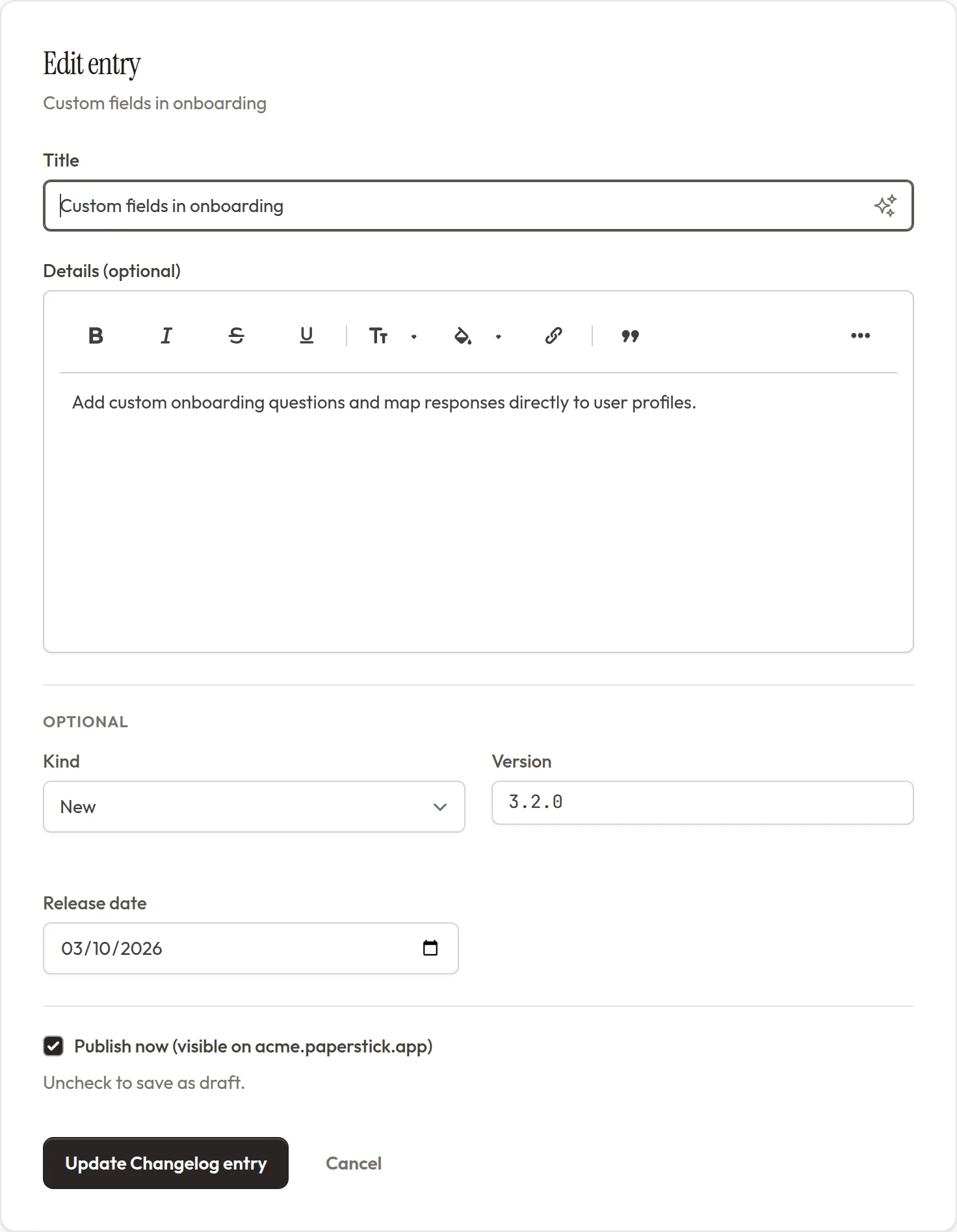
Write what shipped
Open the editor, type the change in plain language, and add optional version, date, and type. Save as draft until you are ready.
- Rich text and YouTube or Vimeo embeds work the way your team expects from a modern editor.
- Save the entry as a draft until the wording and timing are ready.
Step 3
Publish where customers look
Publishing sends the entry to the hosted page, public JSON API, and RSS feed. Use the WhatsNew page or show the same update on your own site.
- Hosted pages include search across titles, versions, types, and entry text.
- Search works with the type filters. Readers can narrow the timeline without leaving the page.
See a real hosted changelog
Open WhatsNew's own changelog in a new tab and compare it with the examples above.
One source, several places to read
Your team writes on whatsnew.app. Customers can read on your-slug.whatsnew.app, your own site, or in an RSS reader.
whatsnew.app: where your team works
Account admins create changelogs, draft entries, and publish. Customers never need an account here.
Hosted page or your own site
Turn on a hosted page with search, RSS, type filters, and direct entry links. Or use the public JSON API or Markdown document to show the same entries on your own site.
Ready to publish your own changelog?
Write once, then use a hosted page, the JSON API, or both.